Setting up multiple SSH Keys in PC
04 Apr 2020 ssh , git , terminalBefore start, check in terminal ssh agent is running
# eval $(ssh-agent -s)
In bash run this command using your email account for service
# ssh-keygen -t rsa -b 4096 -C "email@email.com"
then follow instructions, enter filename or passphrase if needed
Adding your key to ssh agent
# ssh-add ~/.ssh/id_rsa
Now you need to add tour ssh public key to your management site (Github or GitLab)
Use this command to add clipboard
# clip < ~/.ssh/id_rsa.pub
Then you can paste it to the site and save it
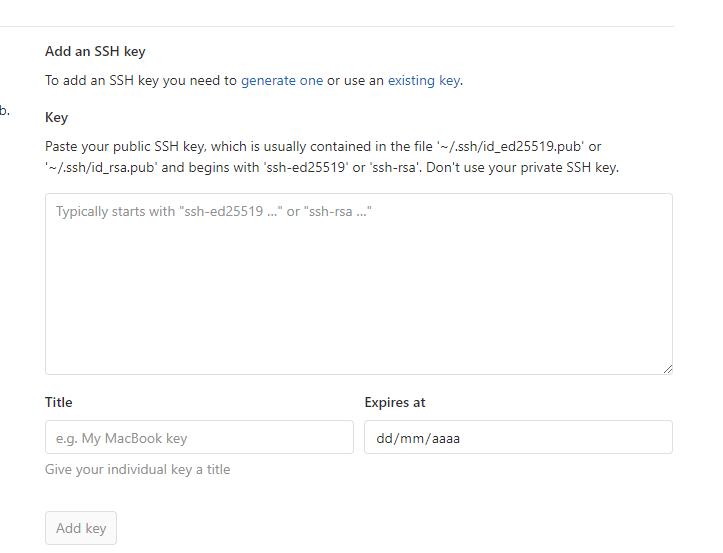

Testing your connection, you will see a welcome message
# ssh -T git@gitlab.com
# ssh -T git@github.com
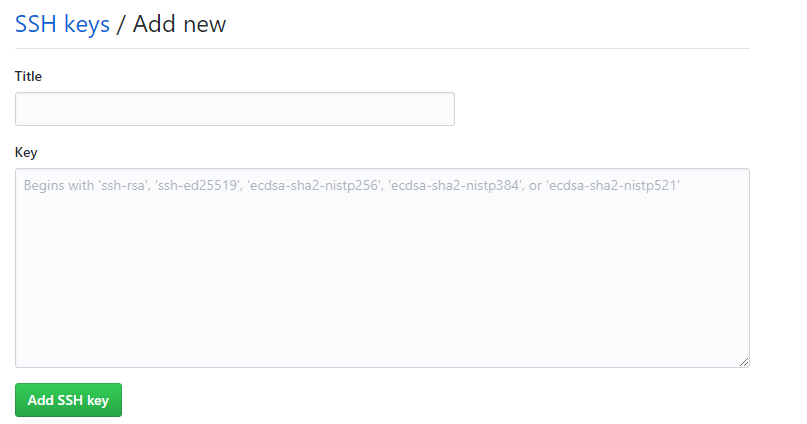
Last step is to add/edit config file to use ssh in mutiple sites, you need to setup as this example.
# This is a comment
# This file goes to ~/.ssh/config (yes, without file extention)

# Personal github account
Host github.com
   HostName github.com
   User git
   IdentityFile ~/.ssh/id_rsa_github
# Personal gitlab account

Host gitlab.com
   HostName gitlab.com
   User bgit
   IdentityFile ~/.ssh/id_rsa_gitlab